

How to Choose the Right Zero Gravity Recliner Chair: The Complete Guide
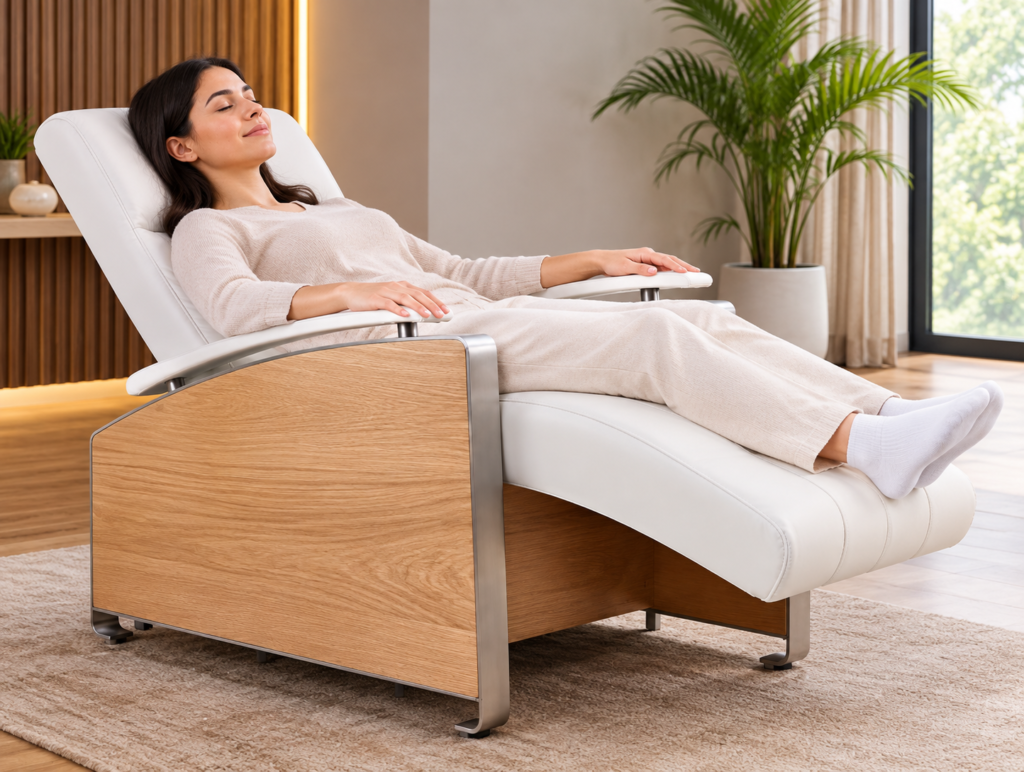
A zero gravity recliner chair positions your body so your legs sit above your heart, distributing your weight evenly across the seat. NASA developed this posture for astronauts during launch to reduce G-force stress on the body, and furniture designers eventually adapted it for everyday use. The result is a chair that takes pressure off your spine and promotes better circulation while you rest.
If you’re shopping for one, the number of options can be overwhelming. However, not every recliner is the same. Size, materials, reclining mechanisms, cushioning, features, and room space should all be considered before making a purchase.
Understand What You’re Buying
Not every recliner marketed as “zero gravity” delivers the same experience. The term has become a broad label, and some chairs offer only a mild recline rather than the true elevated-leg position. Before buying, confirm that the chair can recline to at least 120 to 130 degrees with foot elevation above the heart. That’s the angle where the physical benefits actually kick in.
Some people compare zero gravity recliner chairs to chaise loungers, and there’s reasonable overlap. A chaise lounger is a long, flat or gently angled seat designed for lying back with your legs extended. A zero gravity recliner chair achieves a more specific, contoured position and is usually designed for deeper pressure relief. Both have their uses, but they serve different purposes.
Indoor vs Outdoor Use
Where you plan to use the chair matters a lot.
Indoor zero gravity recliner chairs typically come upholstered in leather, faux leather, or fabric. They work well in living rooms or home offices and often include features like heat therapy, massage motors, or cup holders built into the armrests. The construction is usually heavier, and many are not weather-resistant.
Outdoor models use UV-resistant textilene mesh or weather-treated frames. Textilene dries fast, breathes well in heat, and doesn’t retain moisture, which makes it a practical choice for patios and poolside use. Aluminum frames resist rust and are light enough to move around. Steel frames are heavier and more stable but need rust-resistant coatings.
If you want one chair that works in both settings, be aware you’ll likely have to compromise on something, whether that’s outdoor durability or indoor aesthetics.
Weight Capacity and Size
Weight capacity is a straightforward spec, but many buyers skip it. Most standard zero gravity recliner chairs support between 250 and 300 pounds. Heavy-duty versions go up to 400 or 500 pounds. Choosing a chair rated below your weight shortens its lifespan quickly, since the reclining mechanism takes the most stress.
Size matters too. Check the seat width and the fully reclined length before buying, especially if you’re taller than 6 feet or shorter than 5 feet 4 inches. A chair that’s too short won’t support your legs properly when reclined. A seat that’s too narrow puts pressure on your hips.
Locking Positions and Recline Mechanism
Manual zero gravity recliner chairs use a lock mechanism, usually a side latch or foot-activated lever, to hold the chair at a chosen angle. Power recliners use a motor controlled by a button or remote. Power versions cost more, but they’re far easier to use if you have limited hand strength or mobility issues.
Look for chairs with at least two or three locking positions beyond fully upright. Single-lock chairs that jump straight to full recline are less flexible and can feel abrupt.
Some higher-end models come with an “infinite position” mechanism, which lets you stop and lock at any point in the recline range. That extra control is useful if you plan to use the chair while reading, watching TV, and sleeping, as each activity calls for a slightly different angle.
Cushioning and Material
Foam density determines how long cushioning holds its shape. Low-density foam compresses quickly and leaves you sitting on a flat, uncomfortable surface within a year or two. Medium-density memory foam holds up better and conforms more naturally to your body.
For fabric upholstery, look at the thread count and whether the material is stain-treated. Light-colored fabrics show wear faster. Bonded leather peels over time, especially with daily use. Full-grain leather is more durable but significantly more expensive and requires occasional conditioning.
Outdoor chaise loungers with mesh seating avoid most of these concerns since the fabric doesn’t absorb spills or trap heat the way foam does.
Features Worth Paying For
Many mid-range and premium zero gravity recliner chairs offer heat and massage features. If you’re buying for back pain relief, lumbar heat is worth considering. Massage motors vary in quality, so read specific reviews for the model you’re looking at rather than assuming the feature works well across the board.
USB charging ports, removable pillow headrests, and side pockets are small additions that affect daily convenience more than you might expect.
Set a Realistic Budget
Prices can vary considerably depending on materials, construction, size, and features. Set your budget before shopping, then compare chairs within that range.
Avoid choosing a chair based only on price. A very inexpensive model may not offer the durability, support, or features you need. At the same time, the most expensive option may lack the specific features or look you want.
Focus on overall value. Consider construction quality, comfort, warranty coverage, functionality, and how often you’ll use it.
Final Thoughts
The right zero gravity recliner chair matches your body, room, lifestyle, and comfort preferences. Start by determining the size and reclining position you need. Then evaluate cushioning, upholstery, reclining mechanisms, features, weight capacity, and available space.
Do not overlook practical details such as maintenance, warranty coverage, and long-term durability. With careful comparison, you can find a recliner that provides lasting comfort while fitting naturally into your home.