
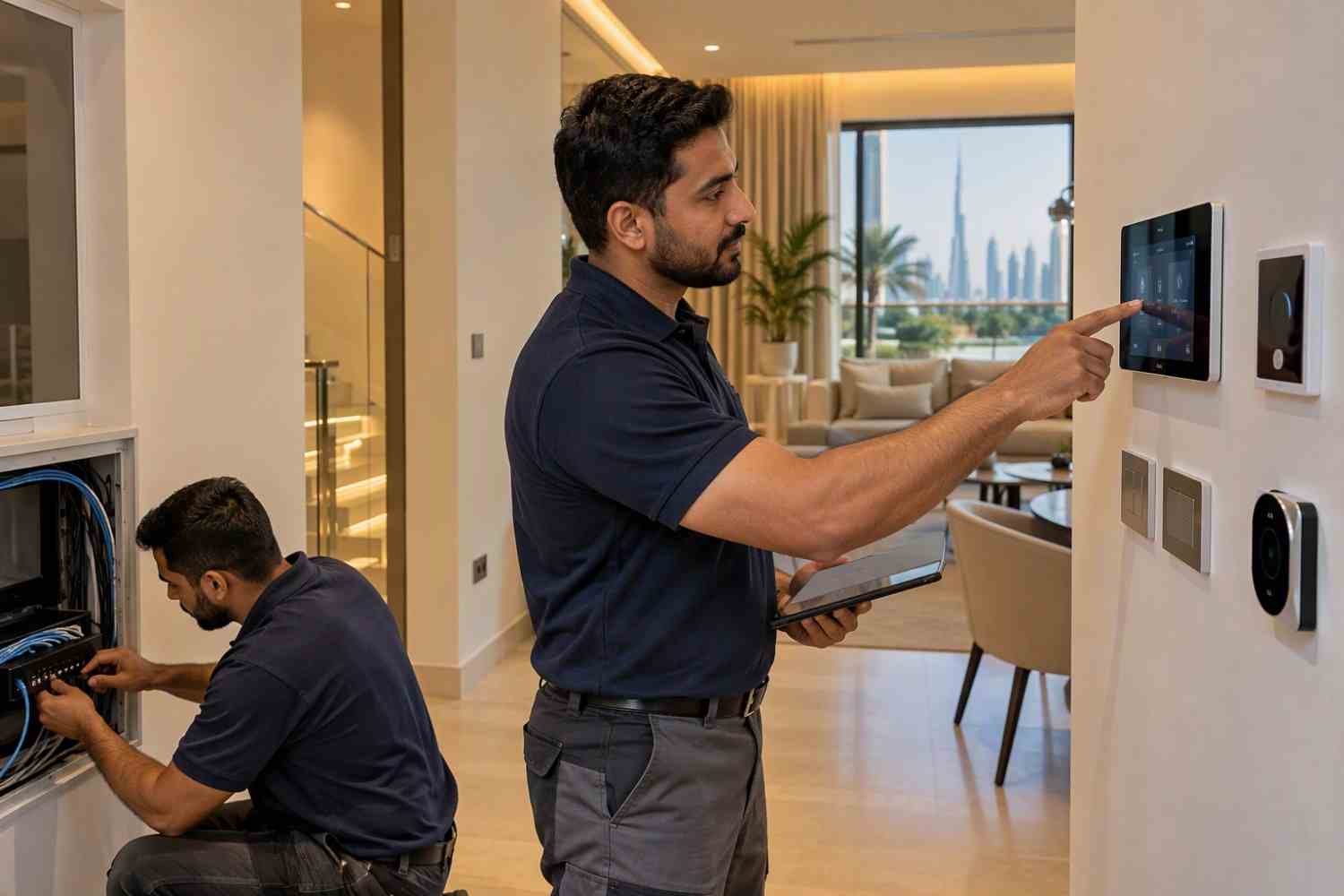
Planning a new house is a good time to think about technology that can make everyday activities easier. Home automation allows different devices in a house to work together through smart controls. These may include lights, air conditioning, curtains, security cameras, door locks, and entertainment systems. Planning these features before construction or during the early design stage can make installation easier. It also helps homeowners avoid unnecessary wiring changes and extra costs later.
1. Understand Your Daily Needs
Before choosing smart devices, think about how you use different rooms in your house. Every family has different needs, so there is no single system that works for everyone.
For example, you may want automatic lighting in the living room, temperature control in bedrooms, or smart locks at the main entrance. Some homeowners may also want to control music and television systems from one place.
Make a list of the activities you want to manage automatically. This will help you decide which features are useful and which ones are not necessary. Starting with your daily needs also helps you avoid spending money on devices that you may rarely use.
2. Plan Smart Features for Each Room
Different rooms require different types of smart technology. Planning room by room makes it easier to select suitable devices and understand where they should be installed.
In the living room, you can consider smart lighting, motorised curtains, and entertainment controls. Bedrooms may benefit from adjustable lighting and temperature settings. In the kitchen, smart switches and selected connected appliances can make daily tasks easier.
For outdoor areas, you may consider security cameras, garden lighting, and motion sensors. If your house has a garage, smart access controls can also be useful.
Think about how each device will be used before deciding where to install it. This makes the system more practical for everyday living.
3. Decide Between Wired and Wireless Systems
One important decision is choosing between wired and wireless technology. Both options can support different smart home features, but they have different installation requirements.
A wired system uses physical cables to connect devices and controllers. It is often considered during new construction because cables can be placed inside walls before finishing work begins. This can provide a planned and organised installation.
A wireless system uses communication technologies such as Wi-Fi, Zigbee, or other supported protocols. It can be suitable for homeowners who want more flexibility or plan to add devices over time.
Some houses use a combination of wired and wireless devices. The right option depends on the building design, required features, budget, and future plans.
4. Plan Electrical Wiring and Network Points Early
Electrical planning is an important part of building a connected house. Some smart devices need special wiring, while others require suitable power outlets and network connections.
Discuss the electrical layout with your electrician and technology planner before the walls are completed. Consider the positions of smart switches, sensors, cameras, control panels, and access points.
Internet coverage also needs attention. A large villa may require several Wi-Fi access points to provide a reliable connection in different rooms. Weak network coverage can affect how connected devices work.
Planning these details early can reduce the need to open finished walls or change electrical points after moving into the house.
5. Choose a Suitable Control System
A smart home becomes easier to use when its devices can be managed through a suitable control system. Depending on the selected technology, homeowners may use a mobile application, wall-mounted panel, voice assistant, or central controller.
For example, you may want one control option for lighting, curtains, and air conditioning. You can also create different settings for common activities.
A morning setting could open the curtains and adjust the bedroom lights. An evening setting could reduce lighting levels and close the curtains.
Before selecting a control system, check whether it supports the devices you plan to install. Compatibility is important because not every smart product works with every platform.
6. Consider Dubai’s Climate
Dubai’s weather is an important factor when planning smart features. Air conditioning is used for much of the year, so temperature control can be a useful part of a connected home.
Smart thermostats and suitable climate control systems can help manage indoor temperatures according to daily routines. For example, homeowners can set different temperature levels for bedrooms and living areas.
Motorised curtains and blinds can also help manage sunlight entering the rooms. You can schedule them to close during certain hours to reduce direct sunlight.
For outdoor equipment, choose devices designed to operate under the temperature and environmental conditions where they will be installed. Always check the manufacturer’s operating limits before purchasing.
7. Include Security and Safety Features
Security should be considered when planning a new house. Smart security devices can help homeowners monitor entrances and important areas.
Common options include CCTV cameras, video doorbells, smart door locks, motion sensors, and door or window sensors. These devices can provide alerts when unusual activity is detected.
You can also consider smoke detectors, water leak sensors, and other safety devices where suitable. Their placement should follow the manufacturer’s instructions and relevant safety requirements.
Think about privacy when installing cameras and connected devices. Use strong passwords, update device software, and limit access to trusted users.
8. Set a Budget and Plan for Future Changes
A clear budget helps you decide which features should be installed first. The total cost depends on the size of the house, number of devices, wiring requirements, selected technology, and installation work.
It is not necessary to automate every room at the beginning. You can start with essential features such as lighting, air conditioning, and security. Other devices can be added later if the system supports expansion.
Also, consider future requirements. Your family may need additional rooms, new entertainment devices, or more security features over time. Leaving suitable wiring routes and network capacity can make future changes easier.
9. Test the System Before Moving In
Once installation is complete, every device should be tested before the house is ready for use. Check lighting controls, sensors, cameras, door locks, curtains, and temperature settings.
Make sure the mobile application and control panels work properly. Test scheduled activities and automatic settings to confirm that devices respond as expected.
It is also useful to understand how to operate the system manually if the internet connection or central controller becomes unavailable. Keep installation details and user instructions in a safe place.
Planning Home automation during the early stages of house construction can make a new property easier to manage. By understanding daily needs, choosing compatible devices, preparing the wiring, and considering future changes, homeowners can create a system that suits their lifestyle. A well-planned Home automation setup should focus on useful features, simple controls, reliable operation, and practical everyday needs rather than adding technology without a clear purpose.