

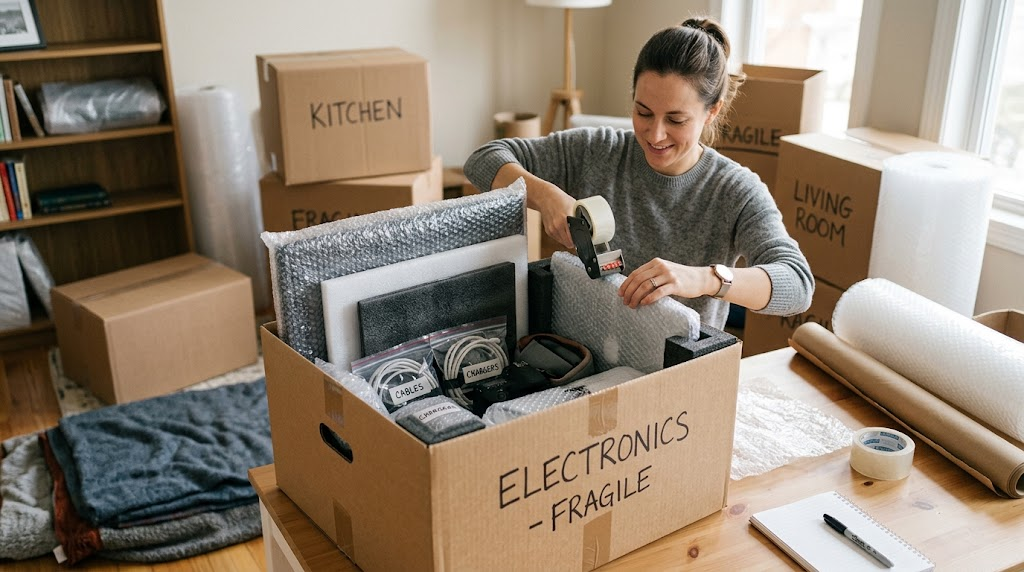

Moving electronics can be surprisingly stressful. TVs, computers, gaming consoles, tablets, speakers, printers, and other devices are often expensive, delicate, and difficult to replace. Unlike clothing or kitchen items, electronics can be damaged by drops, moisture, static electricity, loose parts, or improper packing. A little preparation before moving day can make a major difference.
Whether you are packing everything yourself or working with movers in san jose, the safest approach is to protect each electronic device according to its size, shape, and sensitivity. Taking photos, labeling cables, using the right packing materials, and avoiding empty space inside boxes can help prevent damage and make setup much easier at your new home.
Start by Preparing Your Electronics
Before putting anything into a box, take some time to prepare your electronics. Rushing this stage often leads to tangled cables, missing accessories, and damaged equipment.
Back Up Important Data
If you are moving a desktop computer, laptop, external hard drive, or other device containing important files, back up your data before packing it.
Store essential documents, photos, work files, and other valuable information on a reliable cloud service or separate storage device. A backup gives you an extra layer of protection if a device is damaged during the move.
For computers and storage devices, safely shut them down rather than simply unplugging them while they are running. Give equipment a few minutes to cool down before wrapping and boxing it.
Take Photos of Connections
One of the easiest ways to make unpacking less frustrating is to photograph your electronics before disconnecting them.
Take clear pictures of the back of televisions, computers, routers, gaming systems, and entertainment centers. These photos can show you exactly where cables and accessories belong when you are ready to reconnect everything.
You can also label both ends of important cables with small pieces of masking tape and simple descriptions such as “monitor,” “router,” “console,” or “printer.”
Gather the Right Packing Materials
Good packing materials are essential for protecting electronics. You do not necessarily need expensive specialty supplies, but you should avoid relying on thin boxes or inadequate cushioning.
Useful materials include sturdy cardboard boxes, bubble wrap, packing paper, foam sheets, packing tape, zip-top bags, and cable labels. Original manufacturer boxes are even better when available because they are designed around the dimensions of the equipment.
Avoid using newspaper directly against screens or delicate surfaces. Ink can transfer, and crumpled paper may not provide enough protection for fragile components.
For heavier electronics, choose strong boxes that can support the weight without bending or tearing.
Use Original Boxes Whenever Possible
If you still have the original packaging for your television, computer, printer, speakers, or gaming equipment, consider using it for the move.
Manufacturers typically design these boxes with molded foam inserts or other protective components that hold the equipment securely. This reduces movement inside the box and provides cushioning against bumps.
If the original packaging is unavailable, do not worry. You can still create effective protection by using appropriately sized boxes and plenty of cushioning material.
The key is to make sure the device cannot move freely inside the box.
How to Pack TVs and Monitors Safely
Televisions and computer monitors require special attention because their screens are particularly vulnerable to impact and pressure.
Protect the Screen
Before wrapping a TV or monitor, remove any detachable accessories. Wrap the screen with a soft, clean material or appropriate protective covering, followed by bubble wrap or another cushioning layer.
Do not place heavy objects against the screen. Even pressure that does not visibly crack the display can cause internal damage.
Keep Screens Upright
Whenever possible, transport televisions and monitors in an upright position. Avoid laying a large flat-screen TV horizontally under heavy boxes.
Use a sturdy box designed for the screen’s size, or carefully secure the device between protective materials if a specialty box is unavailable.
Clearly label the box as fragile and indicate which side should remain upright.
Pack Computers With Extra Care
Desktop computers, laptops, and their accessories should be packed separately when practical.
For a desktop tower, wrap the exterior with cushioning material and place it inside a strong box. Fill empty spaces around the tower so it cannot slide from side to side.
If the computer has large internal components, such as a heavy graphics card or substantial cooling system, consider whether those parts require additional stabilization. Excessive movement during transportation can put stress on internal components.
For laptops, use the original case or a padded laptop bag when available. Place the laptop inside a protective sleeve before putting it into a box.
Keep chargers and accessories together, but avoid placing loose items directly against the computer.
Organize and Protect Cables
Cables are easy to overlook, yet they can quickly turn into one of the biggest frustrations after a move.
Disconnect cables carefully and avoid pulling on the wires. Coil them loosely rather than bending them sharply.
Place smaller cables and accessories in labeled zip-top bags. If one device has multiple cables, keep them together in the same bag whenever possible.
For complicated setups, label each cable based on its purpose and keep a photo of the original configuration.
This simple step can save a surprising amount of time when setting up your new home.
Pack Gaming Consoles and Small Electronics
Gaming consoles, streaming devices, speakers, cameras, tablets, and similar electronics should each receive individual protection.
Wrap each item in bubble wrap or another suitable protective material before placing it in a box. Use packing paper or foam to fill gaps.
For controllers, headphones, remotes, and other accessories, use smaller boxes or bags rather than throwing everything into one large box.
Do not overload a box simply because smaller electronics seem lightweight. Excessive weight can make the box harder to handle and increase the risk of dropping it.
Protect Printers and Other Moving Parts
Printers require a little extra attention because many models contain removable trays, cartridges, doors, rollers, and other moving components.
Remove ink or toner cartridges if the manufacturer’s instructions recommend doing so, and secure removable parts appropriately. Keep cartridges in sealed bags to prevent leaks.
Tape doors or trays only where appropriate, using a method that will not damage the surface. Wrap the printer thoroughly and place it in a sturdy box with cushioning on every side.
Other devices with moving parts should receive similar attention. Check the manufacturer’s packing recommendations when available.
Avoid Common Packing Mistakes
Several seemingly harmless mistakes can cause significant electronic damage during a move.
One common mistake is leaving too much empty space inside a box. If the device can shift around, it can absorb repeated impacts during transportation.
Another mistake is putting heavy items on top of fragile electronics. A television or monitor should never become the base for a stack of boxes.
Moisture is another concern. Avoid storing electronics in damp areas or leaving boxes exposed to rain. If weather conditions are poor, use additional protective coverings while loading and unloading.
Finally, avoid packing electronics while they are still warm. Allow equipment to cool completely before wrapping it.
Label Every Electronics Box Clearly
Clear labeling makes both loading and unpacking easier.
Instead of simply writing “electronics,” use specific labels such as:
- “Living Room TV — Fragile”
- “Office Computer — Handle Carefully”
- “Gaming Console + Accessories”
- “Router and Network Equipment”
You can also indicate which room each box belongs in. This helps movers or family members place boxes in the correct location without unnecessary handling.
Keep particularly valuable or essential electronics in a clearly identified area so they can receive extra attention during loading and unloading.
Keep Important Electronics With You When Possible
Not every electronic item needs to go into the moving truck.
If practical, consider transporting small, expensive, highly sensitive, or irreplaceable electronics with you. This might include laptops, important hard drives, cameras, tablets, or specialized equipment.
Keeping these items with you can reduce the number of people handling them and gives you greater control over their environment.
If you must place them in the moving vehicle, make sure they are securely packed and positioned away from heavy items that could fall or shift.
Prepare for Temperature and Moisture Changes
Electronics can be sensitive to extreme temperature changes. If your move involves significant differences between indoor and outdoor temperatures, avoid immediately turning on cold electronic equipment after bringing it inside.
Allow devices to reach room temperature before powering them up. This can help reduce the risk associated with condensation forming inside equipment.
Similarly, keep boxes protected from moisture during loading, transportation, and unloading. A waterproof outer covering can provide additional protection during rainy conditions, but it should not trap moisture around electronics that were packed while damp.
Unpack Electronics Carefully
Once you arrive at your new home, resist the temptation to unpack everything at once.
Start with essential equipment and inspect each item for visible damage before connecting it. Compare the device with the photos you took before the move.
If something looks cracked, bent, wet, or otherwise damaged, do not immediately turn it on. Check the manufacturer’s guidance or have the equipment inspected by a qualified technician when appropriate.
Reconnect devices carefully using your labeled cables and reference photos.
Create an Electronics Packing Strategy Before Moving Day
The safest move is usually the result of preparation rather than last-minute packing. Start several days ahead by identifying your most fragile electronics, locating original boxes, backing up important data, and collecting suitable packing materials.
Create a simple system where every device has its own protective wrapping, accessories stay together, and boxes are clearly labeled. This makes the moving process more organized and reduces unnecessary handling.
Most importantly, give yourself enough time. Electronics should not be packed in a hurry simply because the moving truck is arriving soon.
Conclusion
Packing electronics safely does not require complicated techniques, but it does require patience and attention to detail. Back up important data, disconnect and label cables, use sturdy boxes, cushion every device, protect screens from pressure, and keep electronics away from moisture and excessive heat or cold. If you are working with Brother Movers, clear communication about fragile and valuable electronics can also help ensure those items receive the careful handling they deserve. With the right preparation, you can arrive at your new home with your electronics protected, organized, and ready to set up.