


Automating the tedious task of meeting transcription and note-taking is a critical productivity milestone. However, many “free plans” offered by AI tools function merely as restrictive demos designed to force immediate upgrades.
To identify platforms offering genuine value without requiring financial commitment, we analyzed the top free AI note taking applications across critical criteria: transcription limits, AI processing capacities, privacy frameworks, and primary use cases. This evaluation includes a dedicated analysis of a mobile-first alternative, VoiceToNotes , alongside a premium upgrade configuration.
The Leading Meeting-Focused AI Note-Takers
These tools are built natively to sit inside or sync directly with video conferencing environments like Zoom, Google Meet, and Microsoft Teams.
1. tl;dv
Best For: Individuals and teams requiring robust, unthrottled video recording alongside native cross-meeting trend analysis.
Overview and Value Assessment
tl;dv offers the most feature-rich free tier in the current ecosystem. Unlike competitors that lock core video archives or limit transcript volumes, this platform retains core functionality completely unrestricted for initial workflows. Its standout architectural benefit is its cross-meeting intelligence, which scans historical transcripts to isolate long-term trends.
Feature Breakdown
The Pros:
- Uncapped Base Tier: Delivers unlimited video recordings and text transcriptions across more than 40 languages.
- Generous AI Allocation: Grants 10 advanced AI-generated summaries and structured meeting notes per month.
- Autonomous Operation: The virtual assistant bot can join scheduled calls on your behalf when you are absent.
- Asynchronous Sharing: Users can clip specific timestamps to build and distribute bite-sized highlight reels.
The Cons:
- Time-Gated Archiving: Free recordings are archived after 3 days; continuous, long-term historical storage requires a paid subscription.
- Integration Constraints: Native workflows on the free plan are limited to Slack and email. Access to advanced CRM data-mapping and over 5,000 app integrations via Zapier or Make requires an upgrade.
- Platform Limits: Lacks current compatibility with legacy clients like Webex or BlueJeans.
2. Fathom
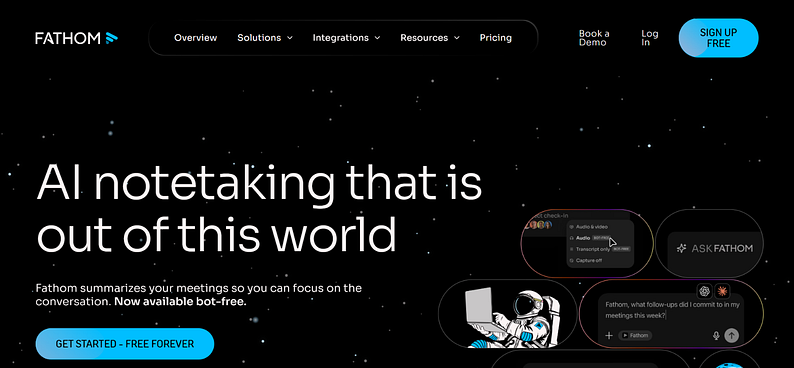
Best For: Solo professionals seeking an easy-to-use, streamlined video repository with completely uncapped storage limits.
Overview and Value Assessment
Fathom provides a smooth user experience targeted entirely at individual creators and solo operators who need an unmetered workspace to look back on calls. While its baseline storage parameters are highly competitive, the artificial intelligence layer on the free tier is sharply constrained.
Feature Breakdown
The Pros:
- Unmetered Data Baseline: Completely unlimited meeting recordings, transcription volumes, and cloud data storage for individual users.
- Granular Editing: Includes internal markup tools to instantly carve out and share clean audio or video highlight clips.
- Clean Usability: Offers a highly intuitive user interface that reduces onboarding time to minutes.
The Cons:
- Severe AI Throttling: The free tier permits only 5 AI-assisted call summaries, action-item extractions, or automated follow-up drafts per month.
- No Autonomous Attendance: The tool requires the host to be physically present in the active digital meeting room; it cannot act as a standalone proxy bot.
3. Fireflies.ai
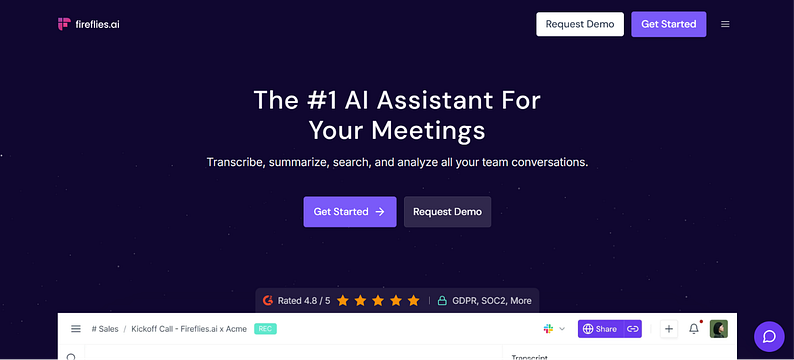
Best For: Professionals managing heavy audio-only transcript pipelines, such as journalists, researchers, and audio editors.
Overview and Value Assessment
Fireflies.ai functions as an enterprise-grade platform that balances an extensive audio feature set with clear structural boundaries on its free tier. It stands out in its capacity to process pre-recorded media files, though it intentionally leaves out visual video playback for non-paying users.
Feature Breakdown
The Pros:
- Generous Text Output: Provides an unlimited volume of text transcripts for active meetings on the base tier.
- Robust File Ingestion: Features a highly stable pipeline for uploading and transcribing standalone, pre-recorded audio formats (e.g., MP3, WAV).
- Conversational Assistant: Includes a higher baseline allocation of “Ask Fred” conversational AI queries to parse single transcripts.
The Cons:
- Total Video Omission: The free plan restricts all video recording and visual playback capabilities entirely.
- Data Isolation: Out-of-the-box system integrations and historical data tracking are limited compared to specialized video note-takers.
Discreet and Mobile-First Note-Taking Solutions
These alternatives bypass typical visual video bots entirely, making them ideal for in-person, privacy-focused, or phone-based environments.
4. Jamie
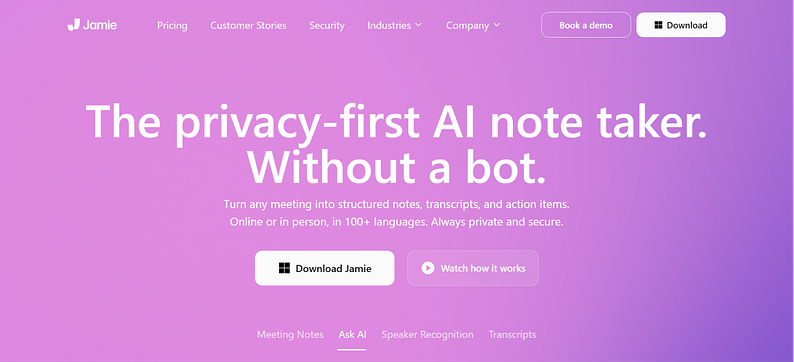
Best For: Executives, consultants, and legal professionals requiring a privacy-first, bot-free application that handles both digital and in-person environments.
Overview and Value Assessment
Jamie operates directly at the device level, capturing system audio rather than relying on a visible virtual participant to join the call. This eliminates the distraction of an external bot while ensuring compliance and data protection through a GDPR-by-design framework.
Feature Breakdown
The Pros:
- Zero-Bot Presence: Captures audio directly from the host machine, eliminating awkward virtual assistant notifications and preserving human-to-human dynamics.
- Hardware Versatility: Seamlessly processes face-to-face meetings alongside any digital conferencing client.
- Speed and Multilingual Support: Delivers highly accurate meeting notes and prioritized action items in under 30 seconds across more than 100 languages.
- Advanced Speaker Memory: Automatically remembers and links speaker voices across distinct sessions without manual re-labeling.
The Cons:
- Low Volumetric Caps: The free tier is limited to 10 total meetings per month with a strict 30-minute duration limit per session.
- No Video Playback: Designed exclusively around generating structured text documents and high-fidelity audio processing.
5. Voice To Notes
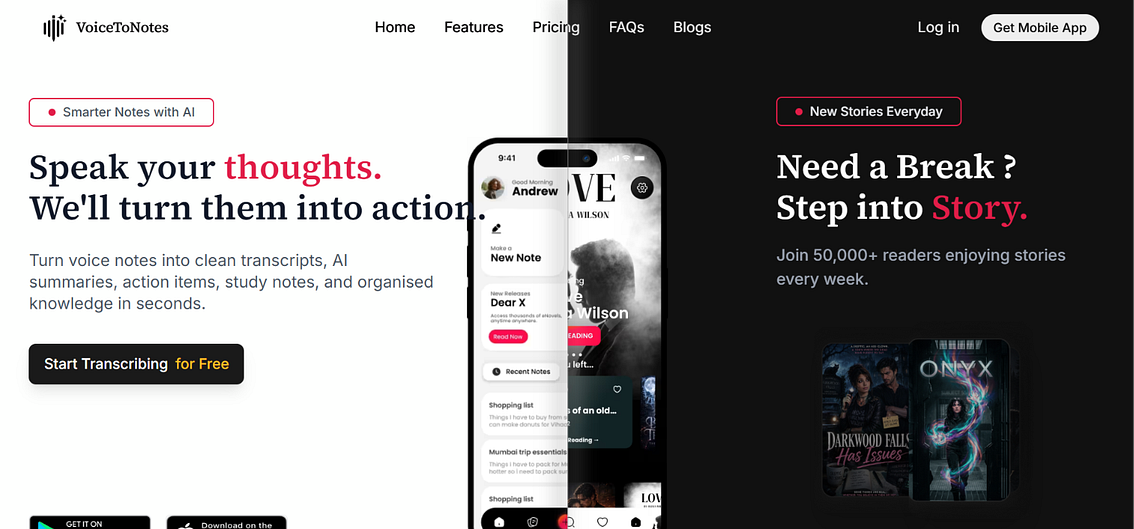
Best For: Mobile professionals and students who need instant speech-to-text dictation, smart document formatting, and rapid OCR scanning on the move.
Overview and Value Assessment
Voice To Notes AI shifts the focus from deep video conferencing integrations to mobile, on-the-fly productivity. It is a powerful tool for capturing lectures, spoken thoughts, or quick in-person discussions, turning messy voice memos into organized, searchable text blocks.
Feature Breakdown
The Pros:
- Smart Formatting Engine: Automatically cleans up spoken audio, inserting intuitive punctuation, paragraphs, and scannable bullet points.
- Built-in OCR Tool: Includes a functional Optical Character Recognition (OCR) scanner to turn physical handouts or whiteboard screenshots into editable digital text.
- AI Writing Assistant: Built-in AI enables quick tone adjustments (Professional, Casual, Creative) and immediate transcript simplification.
The Cons:
- Daily Time Limits: The free starter tier limits real-time voice transcription to 3 minutes per day.
- Capped Tool Actions: Free accounts receive a maximum of 6 daily AI actions (such as summaries or rewrites) and 3 daily document OCR scans.
6. Otter.ai
Best For: Students capturing live academic lectures or mobile workers who require real-time, interactive transcription sync.
Overview and Value Assessment
While Otter.ai remains an industry pioneer for real-time transcription, regular updates have significantly restricted its free tier. It is optimized for live, interactive collaboration via mobile phones, but it presents serious hurdles for standard business scheduling.
Feature Breakdown
The Pros:
- Elite Live Sync: Features arguably the most polished mobile application for real-time text visualization during live conversations.
- Active Canvas Collaboration: Allows teams to actively insert comments, highlight passages, and query the Otter AI chat during live audio events.
The Cons:
- Highly Restrictive Limits: Limits total monthly processing to a combined 300 minutes, with a strict 30-minute cap per recording session.
- Lifetime Upload Caps: Restricts users to only 3 lifetime external audio or video file uploads on a free profile.
- Advanced Features Paywalled: Video tracking and playback features are locked behind higher enterprise payment tiers.
Core Feature Comparison Matrix
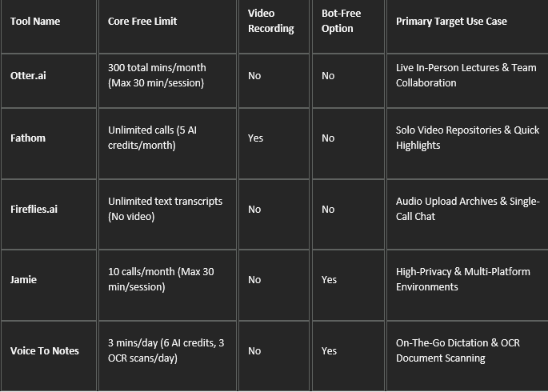
The table below outlines the free tier capabilities of each platform evaluated.
Specialized Performance Alternatives
Premium Hybrid Choice: Krisp AI Note Taker
For setups where transcription precision is a non-negotiable metric, background audio interference must be managed. Krisp handles this by running directly as an audio processing layer between your physical hardware and target applications.
- Two-Sided Noise Isolation: Utilizes localized neural networks to isolate and remove background noise from both incoming and outgoing channels simultaneously.
- Real-Time Accent Conversion: Dynamically modifies regional English accents (e.g., LatAm, Indian, or Filipino English) to a unified standard pronunciation in real time without altering the natural cadence of the speaker’s voice.
- Architecture and Licensing: It operates entirely bot-free to ensure meeting privacy, integrates smoothly with all major communication clients, and provides a fully unlocked 7-day trial period (with zero credit card commitments) before switching to an $8 per month subscription.
Editorial Recommendation and Final Verdict
Choosing the right tool depends entirely on your specific workflow requirements:
- For General Business and Video Meetings: tl;dv is the clear winner. The inclusion of unlimited video recording, comprehensive transcripts, and automated meeting attendance makes its free tier remarkably robust.
- For Mobile Work and Individual Productivity: VoiceToNotes AI serves as an agile mobile companion, turning quick thoughts and physical documents into organized, clean notes.
- For Absolute Confidentiality: Jamie offers a reliable, bot-free alternative that respects meeting dynamics and strictly protects user data.