

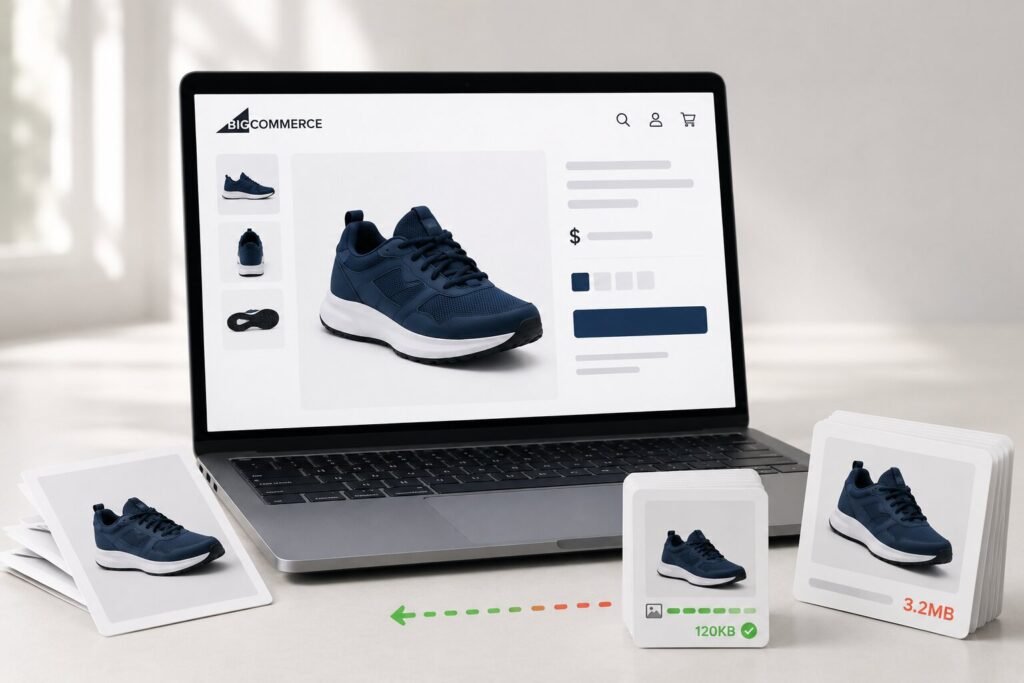

BigCommerce gives merchants a reliable foundation, flexible storefront options, solid CDN delivery, and built-in tools for managing large catalogs. But there’s one thing the platform doesn’t handle for merchants: the weight of the images they upload. Product photos are almost always the largest assets on a page, and when they’re oversized, the rest of the page waits on them.
This article covers why large product images reduce BigCommerce store performance, how they tie directly into Core Web Vitals and organic rankings, and what it actually takes to optimize BigCommerce product images in a way that sticks across an entire catalog.
The Hidden Weight Sitting Inside a BigCommerce Catalog
A single product with five high-resolution photos can easily carry 10-15MB of image data. That might seem manageable in isolation, but multiply it across dozens or hundreds of SKUs, and the cumulative weight becomes a real drag on performance.
Category pages, search results, and collection grids all load thumbnail versions of product images, but if the originals are 3-4MB JPEGs pulled straight from a camera or design tool, even scaled-down thumbnails carry more weight than they need to.
BigCommerce generates resized images for display thumbnails, but it doesn’t automatically optimize every uploaded image for the smallest possible file size or convert uploads to modern formats like WebP. Whatever gets uploaded is what gets served. That’s a gap that doesn’t announce itself, it just quietly adds seconds to load times and weight to pages that are supposed to feel fast.
Three Performance Metrics That Take a Hit First
There are specific metrics that degrade when images aren’t optimized, and each one has its own knock-on effect.
Largest Contentful Paint (LCP) is what Google uses to measure how long it takes for the primary visible element, usually the main product photo, to fully render. On most BigCommerce product pages, that hero image is the LCP element. An uncompressed file sitting at 2-3MB can delay this metric directly, and LCP is one of Google’s Core Web Vitals that contributes to Google’s overall page experience evaluation.
Cumulative Layout Shift (CLS) tracks visual stability. When a browser doesn’t know an image’s dimensions before it loads, it can’t reserve the right amount of space for it. The result is content that shifts around mid-render, text jumps, buttons move, and users end up tapping the wrong thing. For a product page asking someone to click “Add to Cart,” that kind of instability is friction at exactly the wrong moment.
Total page weight compounds both of these. Images often account for nearly half of the total page weight on the average ecommerce page. On stores that haven’t touched their upload workflow, that proportion tends to skew even higher.
How Slow Product Pages Affect Rankings and Sales at the Same Time
The relationship between image size, Core Web Vitals, and search performance is direct. Since Google’s Page Experience update, Core Web Vitals like LCP and CLS have been part of Google’s broader page experience signals. A product page with well-written descriptions and solid backlinks is still at a disadvantage if its images push LCP past the 2.5-second threshold Google considers “good.”
On the conversion side, the data is equally clear. 53% of mobile visitors leave a page that takes longer than three seconds to load. BigCommerce stores running high mobile traffic volumes are exposed to this constantly. The shopper doesn’t see a broken page, they just see a slow one. And they leave before anyone can attribute the lost sale to an oversized JPEG sitting in the product gallery.
That’s what makes image bloat difficult to tackle without the right framing: the damage is real, but it rarely shows up with a clear label in analytics.
Getting Product Images Under Control Across a Full Catalog
To properly optimize BigCommerce product images, three things need to happen together, consistently as new products are added.
Compression is the foundation. A product photo that starts at 2MB can often drop to under 120KB through proper lossy compression, with no visible difference in quality on screen. That’s the same image at a fraction of the file weight.
Format conversion to WebP is the next step. WebP delivers significantly better compression than JPEG or PNG at the same visual quality level. BigCommerce supports WebP, but only if files arrive in that format, the platform doesn’t convert uploads automatically.
Consistent application at scale is the part that separates a one-time fix from a permanent improvement. Manually compressing images before every upload works for small catalogs, but it breaks down fast when SKU counts grow. A dedicated image compressor that connects directly to BigCommerce and handles both new uploads and existing product images in bulk is what makes optimization sustainable.
One more factor worth addressing: a lot of stores upload images at their original camera resolution, sometimes 4000+ pixels wide, when the product page only ever renders them at 800 to 1200 pixels. That extra resolution adds nothing visually but adds significantly to file size. Defining a standard upload dimension upfront, before any compression is applied, removes a lot of avoidable weight from the workflow entirely.
Conclusion
Large product images create a performance problem that touches page speed, Core Web Vitals, search rankings, and conversions all at once, and it compounds across every page in the catalog. The fix is repeatable and doesn’t require redesigning anything: compress properly, convert to WebP, standardize upload dimensions, and automate the process so it holds as the store grows. For a platform as capable as BigCommerce, image optimization is one of the simplest technical wins available and one of the most overlooked.
FAQs
Q1. Do large product images affect BigCommerce SEO?
Yes. Oversized images delay Core Web Vitals like LCP, which Google uses as a ranking signal. Stores with heavy images often rank below faster competitors, even when their content is stronger.
Q2. How do I optimize BigCommerce product images?
Compress images before uploading, convert to WebP, and set consistent dimensions suited to your product page layout. Using an automated tool handles this at scale across existing and new products.
Q3. What image format performs best on BigCommerce?
WebP is the recommended choice. It produces smaller files than JPEG or PNG at comparable quality, which translates directly to faster page loads and better LCP scores.
Q4. What’s a good file size target for BigCommerce product images?
Product images should ideally stay under 100KB per file. Hero or main product images can sit slightly higher, but keeping file sizes in check is more important than hitting a specific pixel dimension.
Q5. How does image size affect bounce rates on BigCommerce stores?
Heavy images slow page rendering, and slow pages drive bounces, particularly on mobile. Visitors who leave before a page finishes loading never convert, and that loss often goes untracked in standard sales reports.