
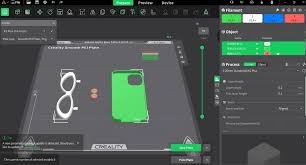

Getting consistent 3D printing results often comes down to dialing in the right slicer configuration. For users of Creality printers, understanding the best creality print settings for different filaments can significantly improve print quality, reduce failures, and enhance overall performance. PLA, ABS, and PETG each behave differently during printing, so they require unique temperature, speed, and cooling adjustments.
This guide breaks down ideal settings for each filament type using Creality Print slicer software, helping you achieve smoother layers, stronger adhesion, and more reliable prints.
PLA Creality Print Settings for High-Quality Results
PLA is the most beginner-friendly filament and works well with almost all Creality printers. The ideal creality print settings for PLA focus on moderate temperatures and strong cooling to ensure crisp details and clean surfaces.
For nozzle temperature, set it between 190°C and 210°C depending on the brand of filament. The heated bed should be kept around 50°C to 60°C to improve adhesion without causing warping. Print speed can comfortably range from 50 mm/s to 70 mm/s, making PLA suitable for fast prototyping and detailed models.
Cooling is essential for PLA. Set the part cooling fan to 100% after the first few layers. This helps solidify each layer quickly, reducing stringing and improving overhang performance. Retraction settings should be around 5 mm at 40–60 mm/s for Bowden setups commonly found in Creality printers like the Ender series.
ABS Creality Print Settings for Strong and Durable Prints
ABS is known for its strength and heat resistance, but it requires more controlled printing conditions. When adjusting creality print settings for ABS, temperature stability and reduced cooling are critical to prevent warping and cracking.
Set the nozzle temperature between 230°C and 250°C. The heated bed should be significantly higher than PLA, ideally between 90°C and 110°C. An enclosed printer or enclosure is highly recommended, as ABS is sensitive to drafts and sudden temperature changes.
Cooling fan usage should be minimal or completely turned off to prevent layer separation. Print speeds should be slower, around 40 mm/s to 60 mm/s, to allow proper layer bonding. Additionally, using a brim or raft in Creality Print can improve bed adhesion and reduce warping on large ABS prints.
PETG Creality Print Settings for Balanced Strength and Flexibility
PETG offers a balance between PLA’s ease of printing and ABS’s durability. The correct creality print settings for PETG focus on moderate temperatures and careful retraction tuning to prevent stringing.
Set the nozzle temperature between 220°C and 250°C. The bed temperature should be around 70°C to 85°C for proper adhesion. PETG tends to stick strongly, so using a glue stick or build plate adhesive can help prevent damage to the print surface.
Cooling should be moderate, around 30% to 50%, especially for bridges and overhangs. Retraction settings must be fine-tuned, typically 3–5 mm at moderate speed, to reduce stringing issues common with PETG. Print speeds between 40 mm/s and 60 mm/s offer the best balance between quality and reliability.
Advanced Creality Print Settings for Better Precision
Beyond basic filament settings, advanced creality print settings such as layer height, flow rate, and retraction tuning can greatly improve print quality. Layer height plays a crucial role in determining detail and print time.
For high detail models, use a layer height of 0.12 mm to 0.16 mm. For faster prints, 0.2 mm is a standard balance. Flow rate should typically stay at 100%, but slight adjustments (95%–105%) can correct under-extrusion or over-extrusion issues.
Retraction tuning is essential for reducing stringing and oozing. Start with default Creality Print values and adjust gradually based on filament behavior. Travel speed can also be increased (120–150 mm/s) to minimize stringing between print moves.
Troubleshooting Common Issues in Creality Print Settings
Even with correct creality print settings, issues like warping, stringing, or layer shifting can occur. Understanding how to troubleshoot these problems is key to consistent results.
Warping is often caused by poor bed adhesion or incorrect temperature settings. Increasing bed temperature or using adhesion aids like glue or textured PEI sheets can help. For stringing, reduce nozzle temperature slightly and increase retraction distance or speed.
Layer shifting usually indicates mechanical issues such as loose belts or unstable frames rather than slicer settings. However, reducing print speed and ensuring proper acceleration settings in Creality Print can minimize the risk of shifts during complex prints.
Conclusion
Mastering creality print settings for PLA, ABS, and PETG is essential for achieving reliable and high-quality 3D prints. Each filament requires specific temperature, cooling, and speed adjustments to perform at its best, and even small changes can make a significant difference in print success.
By applying the recommended settings and fine-tuning based on your printer and filament brand, you can reduce failures, improve surface finish, and unlock the full potential of your Creality 3D printer.